Free plugin for WooCommerce

Confirm every cash‑on‑delivery order before you ship it

Yaceen COD puts new COD orders in a confirmation queue. Call or WhatsApp the buyer in one click, ship only what's confirmed, and stop customers who keep refusing parcels.

No account · No API key · No monthly WhatsApp fees

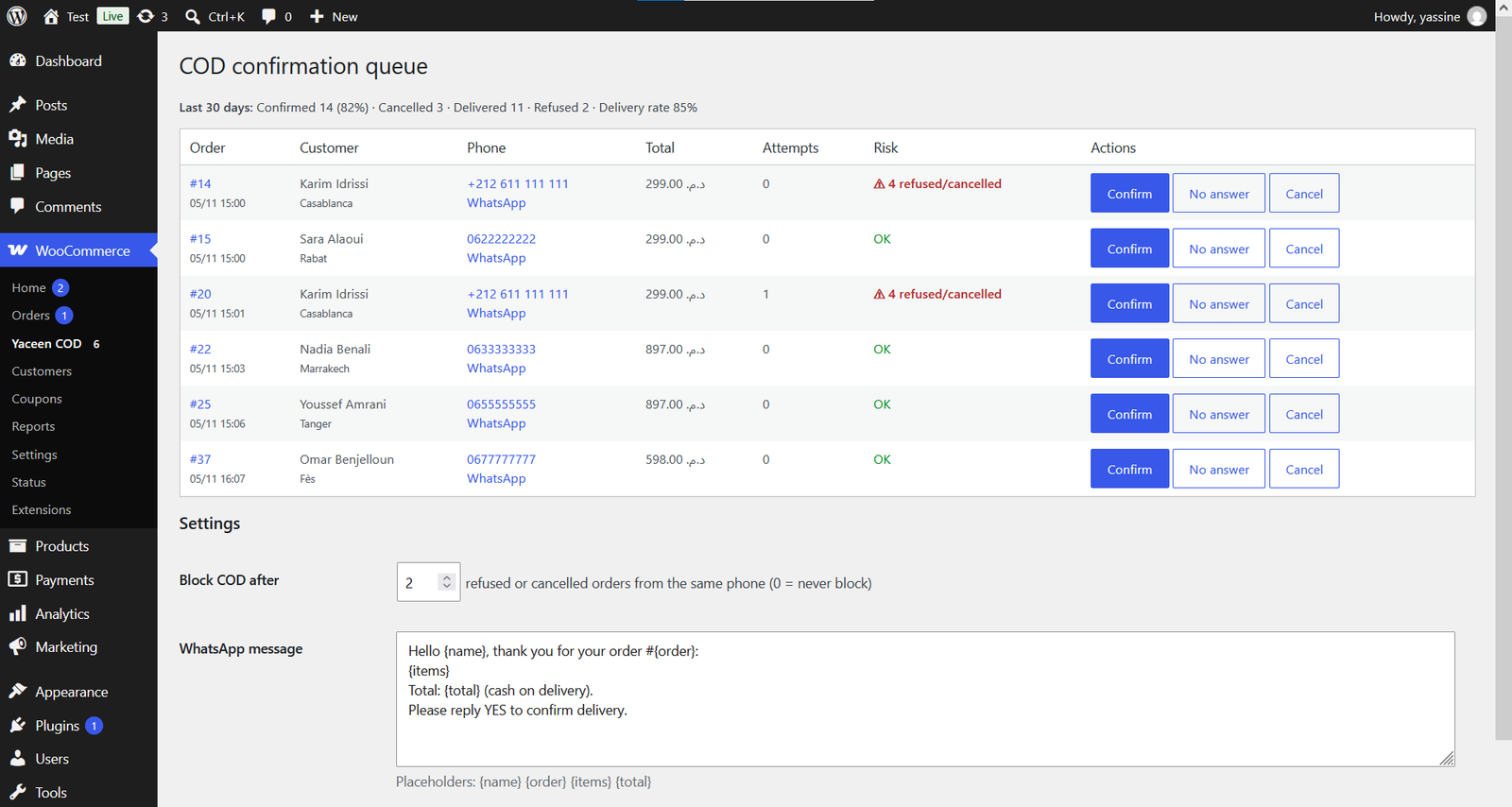
Yaceen COD confirmation queue in WooCommerce: orders with phone, WhatsApp link, attempts, risk warning and Confirm, No answer, Cancel buttons

Fake COD orders cost you money

Every parcel that comes back unpaid is shipping, packaging and stock you paid for nothing.

Paid shipping, twice

Delivery companies charge you to deliver and again to return a refused parcel.

Stock stuck on the road

Products travel for days on orders that were never serious, while real buyers wait.

The same people again

Customers who refused once often order again with the same phone number.

How it works

A simple step between "order placed" and "order shipped".

  1. Order arrives

    New COD orders wait in "Awaiting confirmation" and their stock is reserved.

  2. Open the queue

    WooCommerce → Yaceen COD lists every order to confirm, oldest first.

  3. Call or WhatsApp

    One click opens WhatsApp with the order details already written.

  4. Confirm, retry or cancel

    Confirmed orders go to Processing; "No answer" counts attempts.

  5. Refused? Remembered.

    Mark a parcel "Refused at delivery": stock returns and the phone is flagged.

A queue your team can work through

Every COD order waiting for confirmation, with everything an agent needs on one line.

  • Call link and WhatsApp link with a ready message
  • Attempt counter for unanswered calls
  • Confirmation and delivery rate for the last 30 days
Confirmation queue with risk warnings and 85% delivery rate

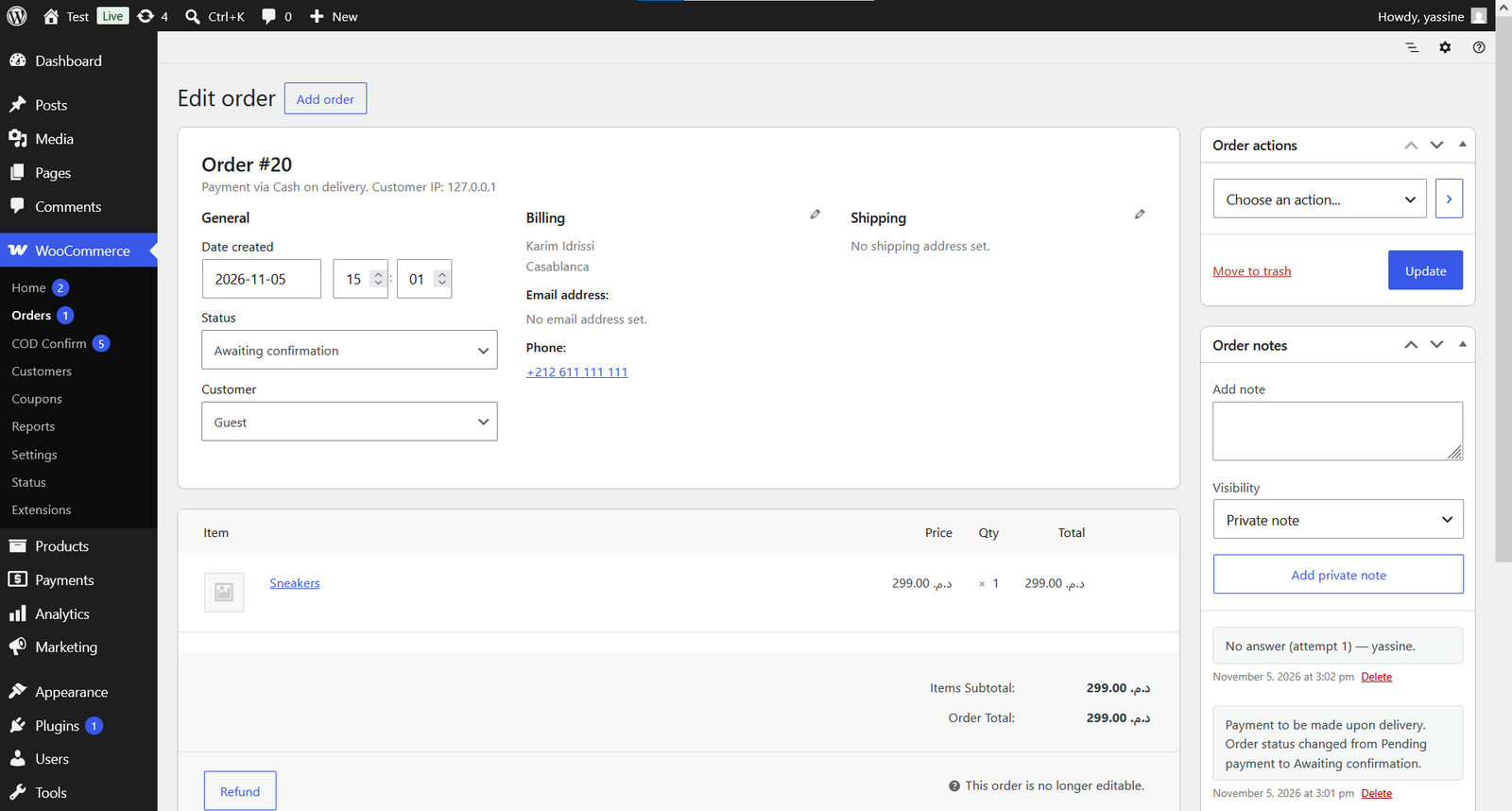
Every action is written down

Confirmations, cancellations and missed calls are added to the order notes with the agent's name, so you always know who did what.

WooCommerce order with the note No answer, attempt 1, by the agent

Stop repeat refusers at checkout

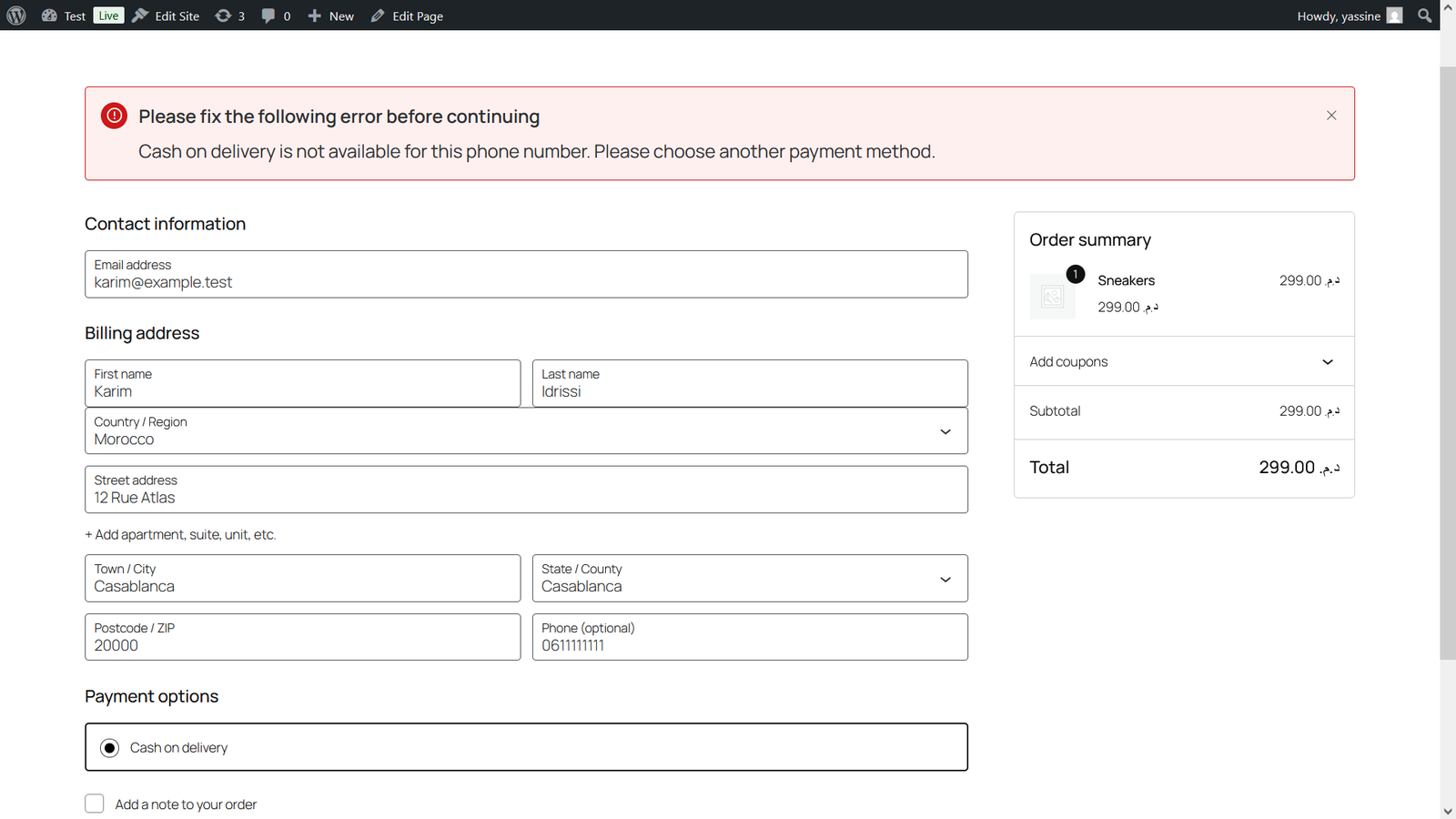
Customers are recognized by phone number however they type it: 06…, +212…, 00212… After the number of refusals you choose, cash on delivery is turned off for that phone.

  • They can still pay another way
  • Works with the block checkout and the classic checkout
Checkout showing the message: Cash on delivery is not available for this phone number

Everything in the free version

Built for stores that sell with cash on delivery, in Morocco and everywhere COD is the norm.

WhatsApp in one click

Message template with {name}, {order}, {items} and {total}. Sent from your own WhatsApp.

Two new order statuses

"Awaiting confirmation" and "Refused at delivery", visible everywhere in WooCommerce.

Stock that stays right

Reserved while you call, returned automatically on cancel or refusal.

Risk warnings

See at a glance which customers already refused or cancelled orders.

Automatic COD blocking

Choose after how many refusals cash on delivery is turned off for a phone.

Modern WooCommerce

Compatible with HPOS, the block checkout and the classic checkout.

Pricing

Start free. Pro is coming for stores that want more.

Free

0 forever
  • Confirmation queue
  • WhatsApp and call links
  • Risk warnings and COD blocking
  • 30-day stats
Download free

Pro

Coming soon
  • Shared blacklist across stores
  • Agent stats and call scripts
  • Return analytics by city and product
  • Priority support
Join the waitlist

Questions

Does it send WhatsApp messages automatically?

No. The WhatsApp link opens a chat with the customer and the message already written; your agent presses Send. That keeps it free and avoids WhatsApp API approval.

Can a blocked customer still order?

Yes, with any payment method except cash on delivery. Set the threshold to 0 to never block anyone.

Does it work with my checkout?

It works with the WooCommerce block checkout and the classic checkout, and with both order storage modes (HPOS and classic).

What about orders placed before I install it?

They keep their normal status. Risk history starts counting from orders that go through Yaceen COD.

Who can use the queue?

Anyone who can edit orders (Shop Manager and Administrator). Only users who can manage WooCommerce can change the settings.

Does it send my data anywhere?

No. Nothing leaves your site unless an agent clicks a WhatsApp link, which opens WhatsApp with that customer's order message.

Ship only the orders that will be paid

Install Yaceen COD in two minutes and confirm your next order today.